
Camera
Companion articles to our YouTube Series Pull My Focus.
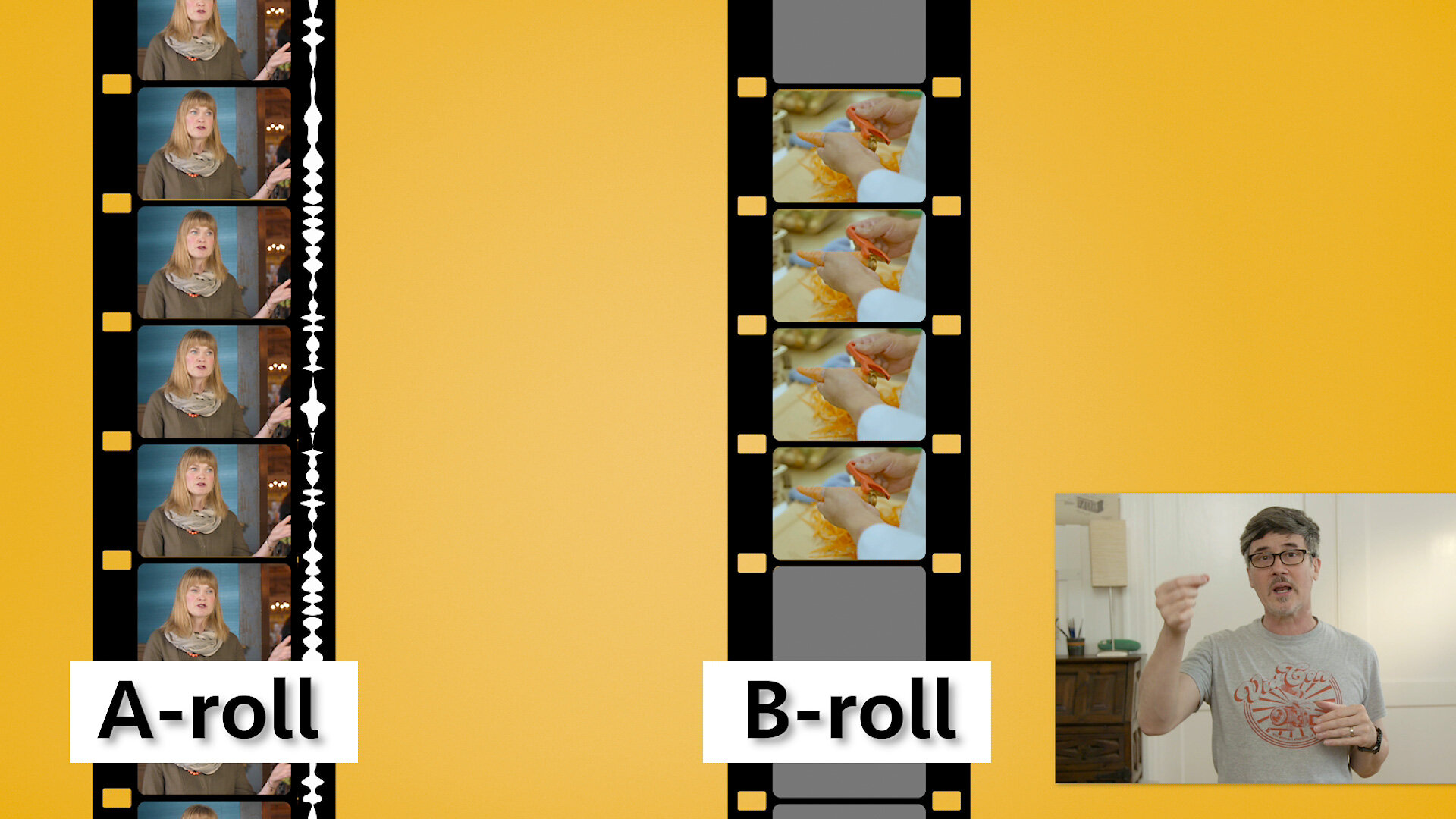
When making an instructional video, how do you decide what b-roll shots you need and which you don't? When to add them and when to leave them out? We break down the two main types of b-roll, how to know what type you need and when, and how to avoid some common pitfalls. We’ll even show you the origin of b-roll.

While shooting with the DJI Ronin MX, we were also playing around with the DJI Osmo Mobile 3 setup. Given its price and the buzz around, we had to get one to use for shooting our b-roll and for just playing around. And we love it. Manu shows how to balance it, a couple of apps to shoot with, a dual-camera setup to demonstrate how steady it works and more.

Ronin Mx Canon C100 Mark II. Do they work together and if so are their any considerations to keep in mind? How does it compare to using a mechanical stabilizer like the Steadicam or the Glidecam?
We show you how to set up and balance a C100 MkII on the two modes of the Ronin MX (Underslung and Upright mode), tricks to using the DJI App for your setup, and what tips and tricks you need to know to make it work well for your stabilized shots.

What Is The Best Camera For Video Recording? Filmmaking? Content creation? Commercial videography? Marketing videos? There are as many different cameras as there are different uses for the video you shoot. Let's look at a birdseye view of different camera categories to help narrow down a subset of cameras that will fit your needs.

Everyone talks about how to shoot your character shots; medium shot, medium close, close-up, etc but what about shooting B-roll footage for a scene? How do you decide what angle to shoot? And whose viewpoint is b-roll from anyways?

Knowing the names of the different types of camera shots is important but how do you decide when to use them? Would a close-up, medium close-up or medium shot work best for this scene? Should I use over the shoulder shots for a conversation? And what if the characters are not even facing each other? We'll show you the differences and the why to help you decide what shots work best for your projects.

Frank brings his years of experience as a dolly grip to the world of camera slider techniques. A camera slider gives filmmakers the ability to create camera moves without the need to level track or the weight of a dolly. But there are certain basic principles common to both that should be known and practiced.

Most videos on framing and composition in cinematography focus on the 1/3 rule. But the creative art world has thousands of years of experience playing with composition. Let's learn how they use symmetrical and asymmetrical balance, shapes like the circle, triangle, L, and others to guide the viewer's' focus and create a feeling with shots for their story.

There are numerous videos on the 180-degree rule and how it's used in film and video production to set up eye lines. But here's the thing: in three decades, I've never heard it used once on a film set. They talk about something very different, much more relevant, and so much easier to use.

In the still photography world, they have a graphic called the Exposure Triangle to show the associations between Aperture, ISO, and Shutter Speed. But in shooting video, we really don't change our shutter speed. It’s fixed to the frames per second (fps) we're shooting at.

If you looked at depth of field charts after our video on Hyperfocal Distance, you probably wondered why there were different charts for different sized digital sensors. So did we. So we cover why they're different in the charts, look at circle of confusion and how to use it in your videos, and give some focusing tips.

So focusing on a person or object isn’t that hard. You zoom in or use magnify, adjust focus, and then zoom back out. They’re in focus. But what if your subject moves in place or you have two subjects in the frame? What do you do? Can Hyperfocal distance help?
Frank explores focusing, depth of field, near and far focus, hearts on some sweat bokeh background, and shows you how to find the hyperfocal distance via charts but also without then when you're on location.

If you’ve spent any time around digital video than you’ve heard the terms Full Frame, Crop Frame, and that damn Crop Factor. But where did this terms come from and do they really have anything to do with us in the video world?

Today we're going to show you three simple video tests you can record to help you discover your visual style. In each test, we’re going to change just one parameter to see how it affects the look and feel of our shot. You can apply this same principle to other forms of video and audio tests.

Magic Lantern software helps push the Canon 5D mark iii to its limits. What does that look like and is it worth it? Spuds shot some tests while in Hawaii (vacation? What vacation?) with his Galaxy Note 4, Canon 5D mark iii recording h.264, and then raw using Magic Lantern software installed on the camera. The results are very interesting.

We’re all familiar with using a tripod to get standard shots in our videos but what if you need to rig the camera overhead, pointing it straight at a table for those product or food beauty shots. Or to rig it higher up to record straight down at a person. Frank looks at a few simple rigs using grips stands and shows how to make a “goalpost” rig for more stable overhead shots.

We explain how a simple equipment test was converted to a small humorous sketch. Included are some equipment and workflow tips that may help you enhance your video projects.
When making an instructional video you need B-roll. Lots of wonderful B-roll. In our part 1 video, we discussed how to figure out what b-roll shots you need and which you don't.
In this video, part 2, we give you tips on shooting that B-roll. How to get in close for insert shots, how to light them, and how to get enough B-roll coverage to work in the edit.